DeepL Voice and Traducore translate voice in real time, but they solve different problems. DeepL Voice puts a bot in your Teams, Zoom or Meet meeting and distributes translated subtitles to all participants. Traducore is a Windows PC program that listens to any application (meetings, videos, courses or calls) and translates it for you, in voice and subtitles, without bots.
In short: if you are a company that wants subtitles for everyone in its meetings, DeepL. If you are the one who needs to understand, and be understood, in any program, Traducore. Below is the point-by-point comparison—including the fine print on licenses, languages and requirements that doesn’t appear on the product pages—with data from the DeepL website and help center consulted on September 19, 2026.
Traducore is our product
We are saying this before we start. The DeepL Voice data comes from their website and help center, and we also point out where it is better than us.
In this article
- Traducore and DeepL Voice, head to head
- DeepL Voice is not one product, it’s three
- The big difference: the bot
- Who needs a license (the most surprising part)
- Translated voice and two-way conversation
- Languages: the fine print
- Requirements: look at this if you are on a Mac
- Price per hour
- Privacy
- Where each one wins
- Which one suits you depending on the case
- More questions about DeepL Voice
- So, which one do we use?
Traducore and DeepL Voice, head to head
| Tool | How it listens | Where it works | Translated voice | They hear you translated | Languages | Starting price |
|---|---|---|---|---|---|---|
| Traducore | The audio of the application you choose, on your PC | Any Windows 10 and 11 program (on Windows 11, only the chosen application) | Yes, for you | Yes (Free plan and Conversation plans) | 78 | €7.95 / 2 h (Video); €10.45 / 2 h (Conversation) |
| DeepL Voice | A bot that joins the meeting | Teams, Zoom and Meet; app for Windows and Mac | Yes, with the app and one license per listener | No | 40+ in subtitles, 30 in voice | €12 / user / month (annual), 300 min |
DeepL Voice is not one product, it’s three
This is the first confusion we should clear up, because half of the questions come from comparing different things. Under the DeepL Voice name coexist:
- Voice for Meetings. The bot that joins Teams, Zoom or Meet and distributes translated subtitles.
- Voice for Conversations. A mobile app (iOS and Android) and a web version to talk to someone in front of you, with side-by-side and face-to-face modes.
- The Voice API. Designed to be integrated into contact centers and your own products, not for manual use.
Traducore doesn’t compete with all three. It covers what happens on the computer: meetings yes, but also videos, recorded courses and desktop calls. For an in-person conversation, the DeepL app or any mobile translator is a better tool than us, hands down.
The big difference: the bot
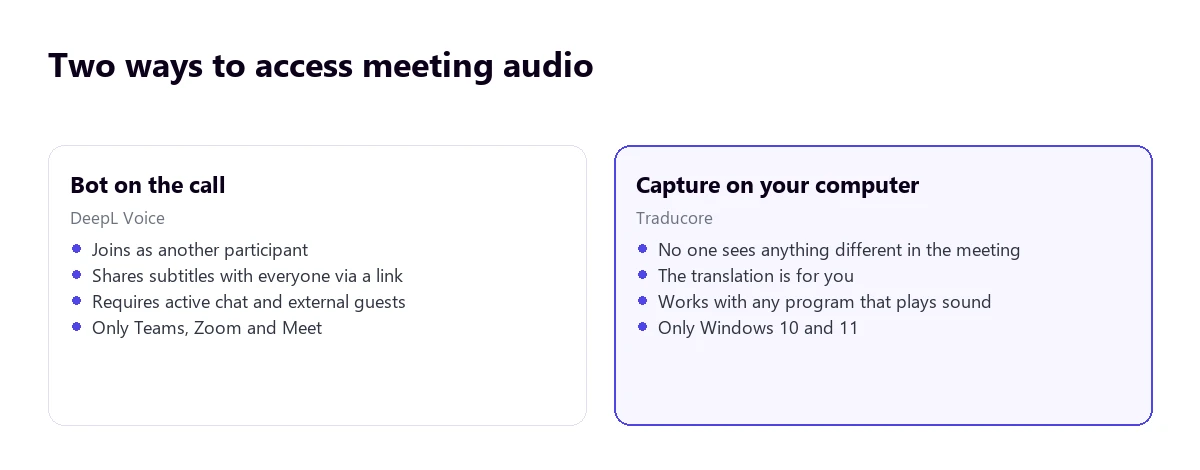
With DeepL Voice for Meetings, you paste the meeting link on the DeepL website and a bot joins the call, starts transmitting the audio to translate it and posts a link to the subtitles in the chat. Participants open it in the browser, without installing anything or having an account.
It works well, but it imposes conditions you should check before promising it to a client:
- The hosting organization must allow external participants. In many companies, they don’t.
- The meeting chat must be enabled, because that’s where the link arrives.
- There is only integration with Teams, Zoom and Meet. Other platforms are left out.
- The bot appears in the participant list: everyone sees that something is listening. According to DeepL’s help, that bot is a third-party service (Recall.ai).
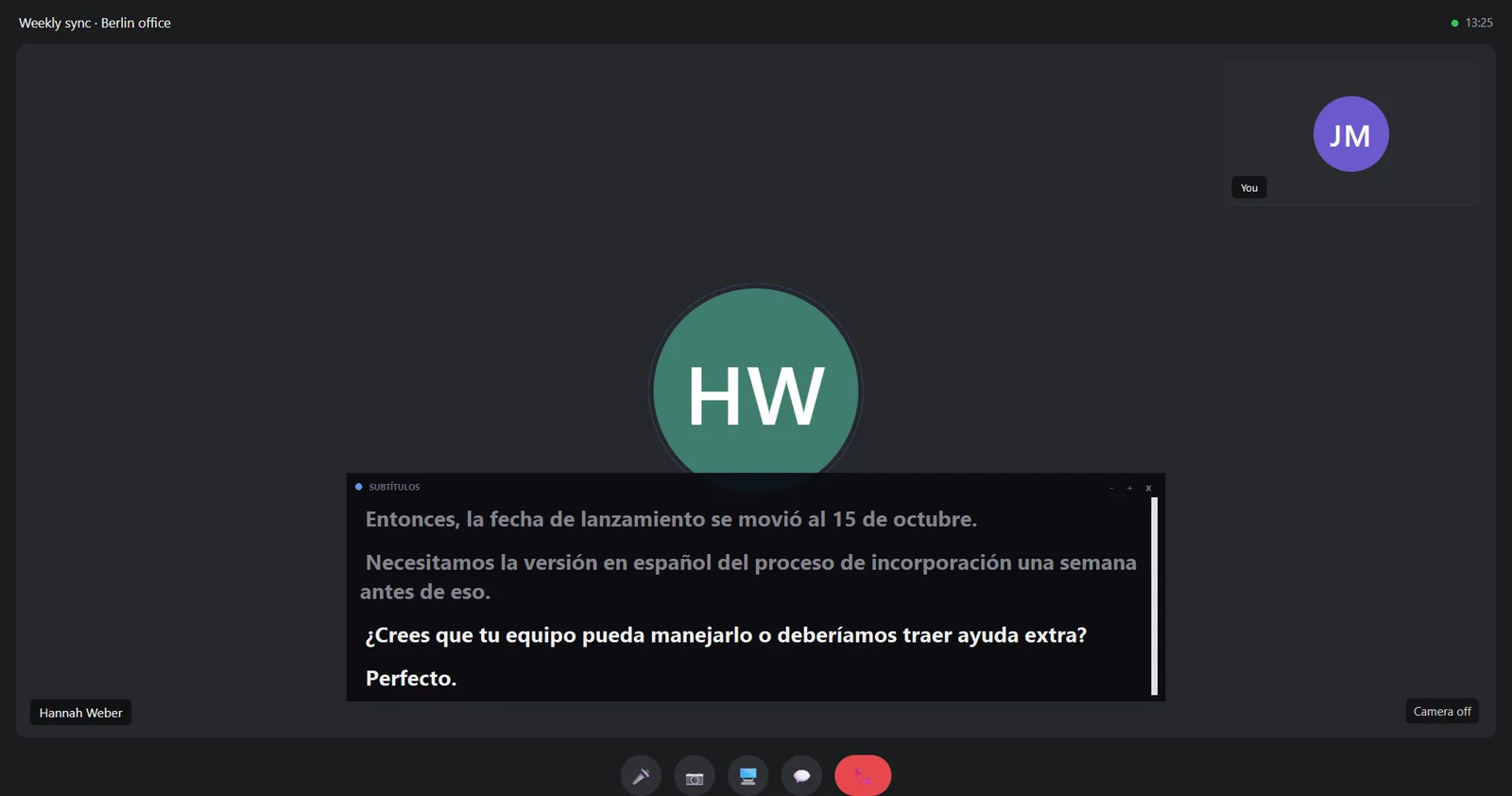
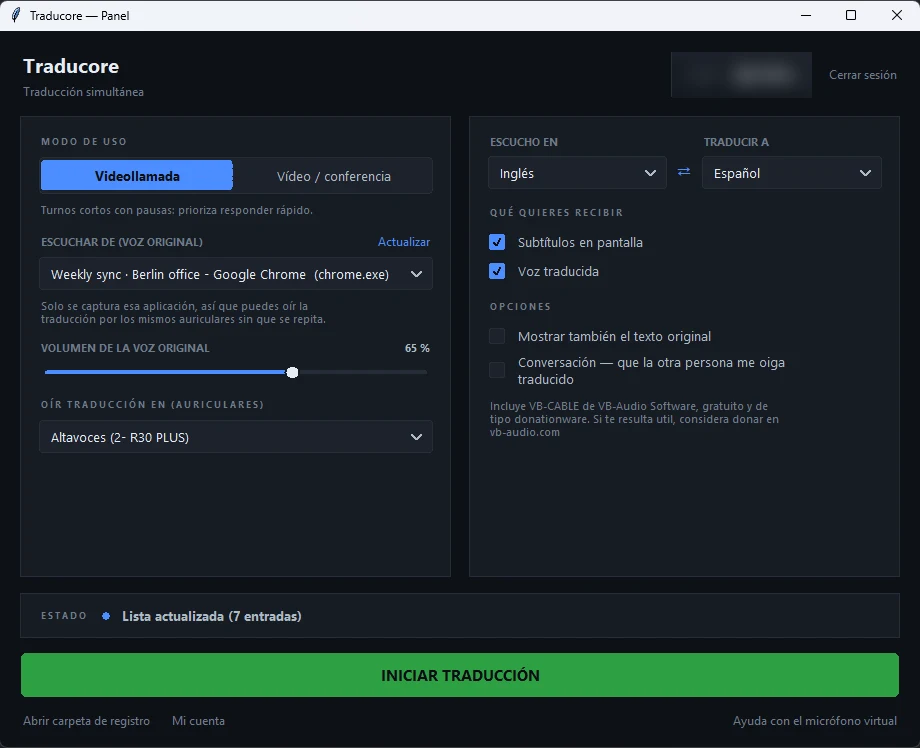
Traducore doesn’t join the meeting: it listens to the application’s audio on your computer. There is no extra participant, no host permission is needed and it works the same with anything playing on the PC, including a platform that DeepL doesn’t cover. The honest trade-off: the translation is only for you, and you have to install a program on Windows.
Who needs a license (the most surprising part)
In DeepL, the answer depends on whether we are talking about text or voice, and the cost difference between one case and the other is huge:
- Translated subtitles: one license per meeting is enough, the one of the person connecting the bot. The rest read the subtitles without a license or account. This is DeepL’s great strength.
- Translated voice: you need one license for each listener, and each one also has to install the desktop app. For a team of eight people, that’s eight licenses.
- Minutes are deducted only from the plan of the person connecting the meeting, not from the others.
There are also capacity limits: meeting subtitles reach 50 participants in Starter and 300 in Business; in face-to-face conversations, 10 and 100.
In Traducore the account is individual and there are no listener licenses, because the translation is not distributed: it is for the person using it. If you want twenty people to read subtitles, DeepL is better designed for that.
Translated voice and two-way conversation
Both can provide voice translation, but they do different things with it.
In DeepL, the desktop app plays the translated voice and mutes the original audio of the meeting. Their help is explicit on an important point: the app does not capture your microphone or speak in the meeting for you. That is, it helps you understand, not be understood.
In Traducore you hear the translation over the original (which you can turn down) and, in Video call mode, you can activate the two-way conversation: your voice reaches the other person translated through a virtual microphone. For a meeting with a client who doesn’t speak your language, that is the difference between understanding and being able to reply.
Languages: the fine print
DeepL advertises more than 40 languages in subtitles and 30 in voice-to-voice. Their documentation details what is behind those numbers, and it is worth reading if your language isn’t one of the major ones:
- Of the spoken languages, 18 are transcribed with DeepL’s own models and about 23 more through an external provider. The latter must be activated by the administrator and do not work with automatic language detection.
- In voice-to-voice, 14 languages use their own voices with “Speaker match”, which keeps the speaker’s tone; the rest use third-party voices and lose that feature.
Traducore recognizes 78 languages, also with uneven quality among them, and distinguishes variants like Brazilian and European Portuguese. The recommendation applies to both: test your language pair before paying for a year.
Requirements: look at this if you are on a Mac
- DeepL Voice desktop app: 64-bit Windows 10 or later, and macOS 14.2 or higher only with Apple silicon (M1 onwards). Intel Macs are not supported.
- Traducore: Windows 10 and 11. There is no Mac version.
If you work on an Intel Mac, neither desktop app will work for you: you are left with DeepL’s subtitles in the browser or the web options from our comparison of real-time voice translators for PC.
Price per hour
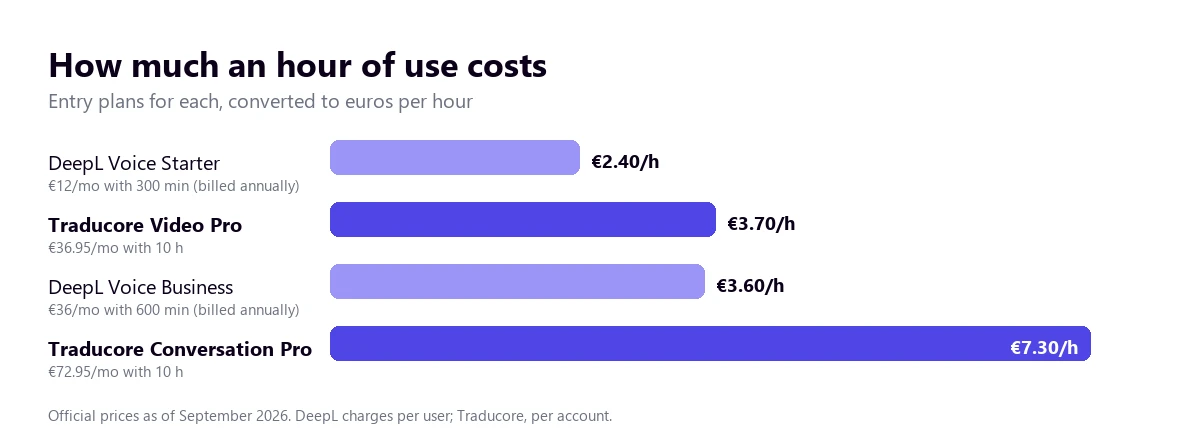
DeepL Voice Starter costs €12 per user per month billed annually (€14 monthly) and includes 300 minutes; Business, €36 (€42 monthly) with 600 minutes shared across the team. There is a 14-day trial, and DeepL translator plans include 30 minutes of Voice per month, enough to test it. Prices from their website for Germany, including VAT.
Traducore is paid by the hour with a monthly subscription: Video from €7.95 for 2 hours (€36.95 for 10) and Conversation, which adds letting them hear you translated, from €10.45 for 2 hours (€49.95 for 10). There are 15 free minutes a day, no card required. Details in pricing.
To be fair: if you only need subtitles in Teams, Zoom or Meet meetings, DeepL Voice Starter is cheaper per hour. Two nuances that change the math: DeepL charges per user (if there are five of you, multiply), and if you want translated voice for several people, each one needs their own license.
Privacy
Both behave reasonably well here, with different approaches:
- DeepL says it does not permanently store meeting transcripts or translations, that it does not use them to train models and that each user keeps theirs on their own device for 30 days by default; the administrator can lower it to “save nothing”. It has ISO 27001 and SOC 2 certifications.
- Traducore does not save the audio or the text of what you translate: when the session ends, nothing is left, not even for you.
The practical difference: with DeepL you can recover the transcript after the meeting, which is very useful for taking notes. With Traducore, you can’t: if you wanted to write something down, you had to write it down.
Where each one wins
- DeepL wins in subtitles for all participants without them installing anything or having an account, in company glossaries (Traducore also has a glossary, up to 500 terms, but on paid plans it corrects the subtitles and not the voice), in having a Mac app with Apple silicon, in the downloadable transcript and in also solving face-to-face conversations.
- Traducore wins in working with any program and without a bot, in two-way conversation, in not depending on the permissions of the hosting organization and in leaving no trace of what was translated.
Which one suits you depending on the case
- Freelancer or self-employed with foreign clients. Traducore: meetings are hosted by others and you need to reply, not just understand.
- Company with everything on Teams and multiple languages. DeepL Voice: one license and subtitles for the whole room.
- Courses, videos and recorded training. Traducore: there is no meeting there to put a bot into.
- Minutes and transcripts after the meeting. DeepL, which saves them on your device.
- Meetings with suppliers who block external guests. Traducore, because the bot simply doesn’t get in.
Compare it yourself
Try Traducore for free, 15 minutes a day and no card required, in your next meeting or video.
More questions about DeepL Voice
Does DeepL do voice translation?
Yes. DeepL translates voice in Teams, Zoom and Meet meetings (with a bot) and in face-to-face conversations from mobile or web, with subtitles and, with its desktop app, translated voice.
How much does DeepL Voice cost?
From €12 per user per month billed annually (€14 monthly) on the Starter plan, with 300 minutes a month; the Business plan goes up to €36 with 600 minutes. These are the prices from their website in September 2026.
Is DeepL Voice free?
Not entirely: it has a 14-day trial and DeepL’s paid translator plans include 30 minutes of Voice per month. For continuous use you have to purchase a Voice plan.
Does DeepL Voice work with Teams?
Yes, with Teams, Zoom and Google Meet, through a bot that joins the meeting. For any other application, or if the organization does not allow external participants, you need a translator that listens to your PC’s audio. You have the options for Teams in the simultaneous translator for Teams.
So, which one do we use?
Traducore, of course, and for a practical reason: most of our calls with people from outside are hosted by others, on platforms and with permissions we don’t control, and we also need to speak, not just listen. If we were a large company with all meetings on Teams and wanted subtitles for everyone, DeepL would be a serious option, and with just one license. It’s not a comparison of good and bad: it’s one of “who is the translation for”.
No bots, in any program
Translated voice and subtitles on your PC. 15 free minutes a day, no card required.